
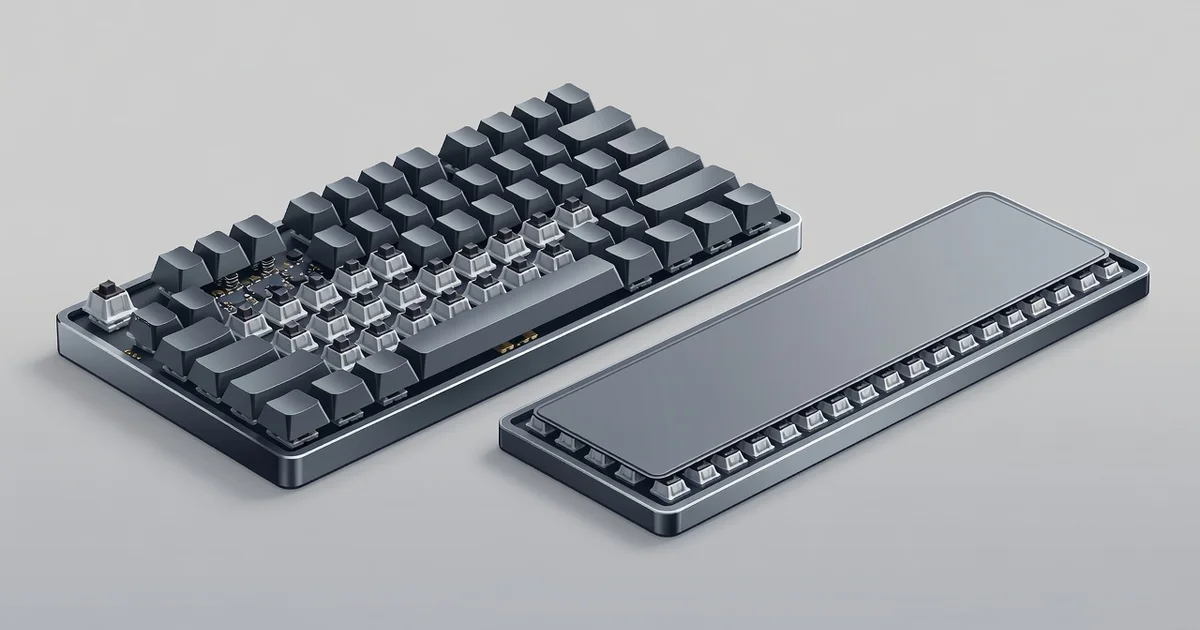
If you spend hours typing, gaming, or working at a computer, the keyboard under your fingers matters more than you might think. The choice between a mechanical keyboard vs membrane keyboard affects everything from typing comfort and speed to noise levels, durability, and cost.
In this guide, we break down the key differences in plain language, so you can pick the right keyboard for your needs and budget with confidence.
Introduction
Every keystroke you make travels through a switch, a tiny mechanism hidden beneath the keycap that determines how the key feels, sounds, and responds. When you compare a mechanical keyboard vs membrane keyboard, you are really comparing two fundamentally different approaches to that switch. One uses individual spring-loaded mechanisms under every key. The other uses a single rubber dome sheet across the entire keyboard. The difference sounds small on paper, but it shapes everything from typing comfort to gaming performance to how long the keyboard lasts.
This article explores Mechanical Keyboard vs Membrane Keyboard: Key Differences with clear, practical guidance. You will learn how each type works, where each excels, and how to decide which one belongs on your desk. Whether you are a writer pounding out thousands of words a day, a gamer chasing faster reaction times, or someone who just wants a reliable keyboard for spreadsheets and email, the choice matters more than most people realize.
Understanding the fundamentals of Mechanical Keyboard vs Membrane Keyboard: Key Differences helps you make informed decisions. Reliable information and consistent habits lead to better long-term outcomes. That principle applies here: once you understand the mechanics, you can stop guessing and start choosing based on your actual needs rather than marketing hype.
Key Concepts
Before comparing the two types head to head, it helps to understand the core concepts that define each one.
How Membrane Keyboards Work
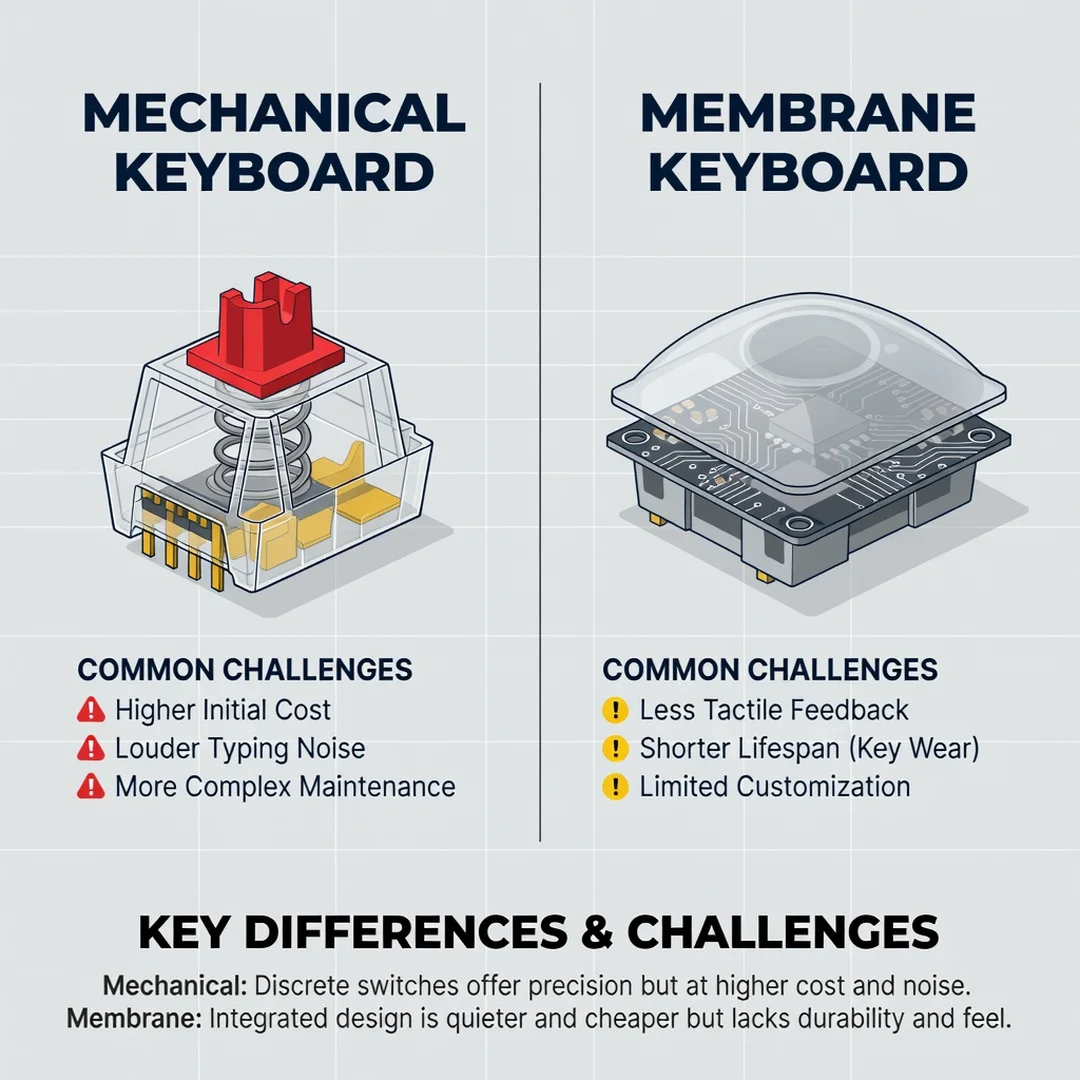
A membrane keyboard uses three layers of material: a top membrane with conductive traces, a spacer layer with holes, and a bottom membrane with matching traces. When you press a key, you push the top layer through the spacer until it contacts the bottom layer, completing an electrical circuit. A rubber dome beneath each key provides the spring-back force. Because the whole sheet is connected, pressing one key involves the entire membrane assembly to some degree.
- Single rubber dome sheet spans the full keyboard
- Keys share a common membrane circuit
- Typing feel is soft and mushy compared to mechanical
- Manufacturing cost is low, so keyboards are affordable
- Key rollover is often limited, meaning some simultaneous presses get missed
How Mechanical Keyboards Work
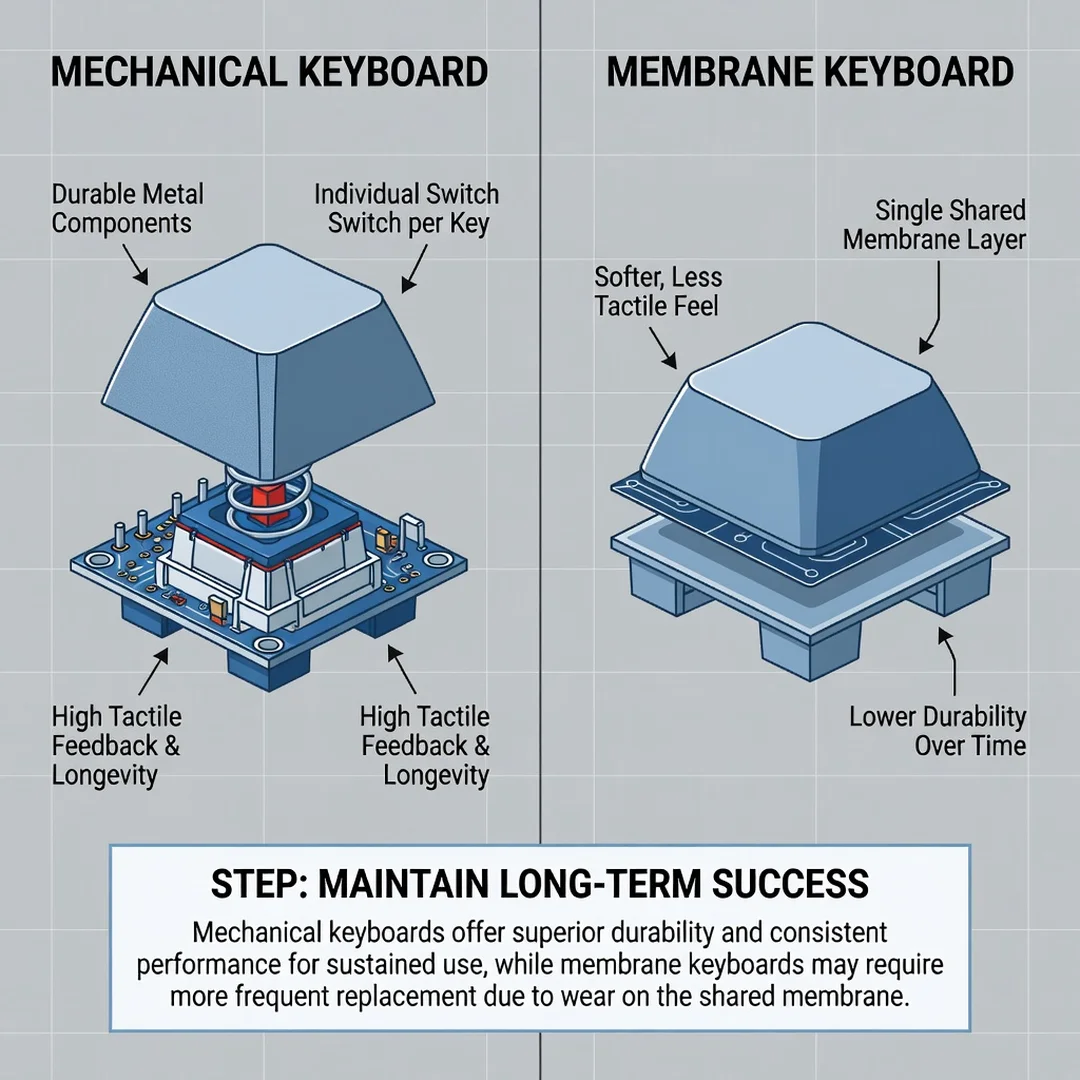
A mechanical keyboard gives every key its own independent switch. Each switch contains a spring, a stem, and metal contacts. When you press the key, the stem moves down and the metal contacts touch, registering the keystroke. Because each switch is self-contained, pressing one key has no effect on any other key. This independence is the foundation of everything that makes mechanical keyboards different.
- Individual switch under every key
- Distinct tactile and audible feedback
- High durability, often rated for 50 million keystrokes per switch
- Full or near-full N-key rollover for simultaneous presses
- Higher cost due to more complex manufacturing
Switch Types Matter
Mechanical switches come in three broad categories. Linear switches feel smooth from top to bottom with no bump. Tactile switches have a noticeable bump midway through the press. Clicky switches combine a bump with an audible click. Membrane keyboards have no such variety; they all feel roughly the same, with slight variations in dome stiffness.
Actuation and Feedback
Actuation point is the depth at which a keypress registers. Mechanical switches typically actuate around 2 millimeters into a 4-millimeter travel, with a clear tactile or audible signal at that moment. Membrane keys typically actuate near the bottom of their travel, which means you must press harder and further to register a keystroke. That difference affects typing speed, fatigue, and gaming responsiveness.
Deep Dive
Now that the basics are clear, let’s examine the differences that actually affect your daily experience.
Typing Feel and Comfort
Mechanical keyboards provide consistent resistance and feedback on every key, which helps touch typists maintain rhythm without bottoming out. Membrane keyboards feel softer and less defined. For long typing sessions, many people find mechanical switches reduce finger fatigue because they do not need to press as hard or as far. However, personal preference plays a large role. Some users genuinely prefer the quiet, cushioned feel of membrane keys.
Durability and Lifespan
This is where the gap is widest. A quality mechanical switch is rated for tens of millions of presses. The rubber domes in membrane keyboards degrade over time, losing their bounce and responsiveness. A membrane keyboard might feel noticeably different after a year or two of heavy use, while a mechanical keyboard can last many years, and individual switches can even be replaced on hot-swappable models.
Gaming Performance
Gamers generally favor mechanical keyboards for three reasons: faster actuation, better rollover, and clearer feedback. Faster actuation means commands register sooner. Better rollover means pressing multiple keys at once, common in games, does not cause missed inputs. Clearer feedback helps you confirm presses without looking down. Membrane keyboards can still work for casual gaming, but competitive players usually notice the difference immediately.
Noise Levels
Membrane keyboards are typically quiet. Mechanical keyboards vary widely: linear switches can be relatively quiet, while clicky switches are loud enough to annoy roommates and coworkers. If noise is a concern, you can choose quiet mechanical switches or add dampening materials. But if silence is your top priority, membrane still has an edge.
Customization
Mechanical keyboards are a hobby for a reason. You can swap keycaps, change switches, add custom cables, and reprogram keys. Membrane keyboards are essentially closed systems. If you like the idea of tailoring your keyboard to your exact preferences, mechanical is the only real option.
Cost
Membrane keyboards are cheaper, often under thirty dollars. Mechanical keyboards start around forty to fifty dollars for budget models and climb into the hundreds for premium builds. The upfront cost is higher, but the longer lifespan can offset it over time. Think of it as cost per year rather than cost per purchase.
Portability
Membrane keyboards are often thinner and lighter, which makes them convenient for travel or tight desks. Mechanical keyboards tend to be thicker and heavier due to the switch housing. However, compact mechanical layouts exist, so portability is not an absolute barrier.
Ergonomics
Mechanical keyboards offer more ergonomic options: split layouts, tenting, and adjustable angles. Membrane keyboards are usually fixed in a flat rectangle. For users concerned about wrist strain, the flexibility of mechanical designs can be a meaningful advantage, though proper posture and breaks matter more than keyboard type alone.
Reliable information and consistent habits lead to better long-term outcomes. Whichever keyboard you choose, how you use it, how you position your wrists, and how often you take breaks will influence your comfort more than the switch type by itself.
Best Practices
Making the right choice is easier when you follow a structured approach. Use these steps as a practical framework.
Step 1: Understand the fundamentals
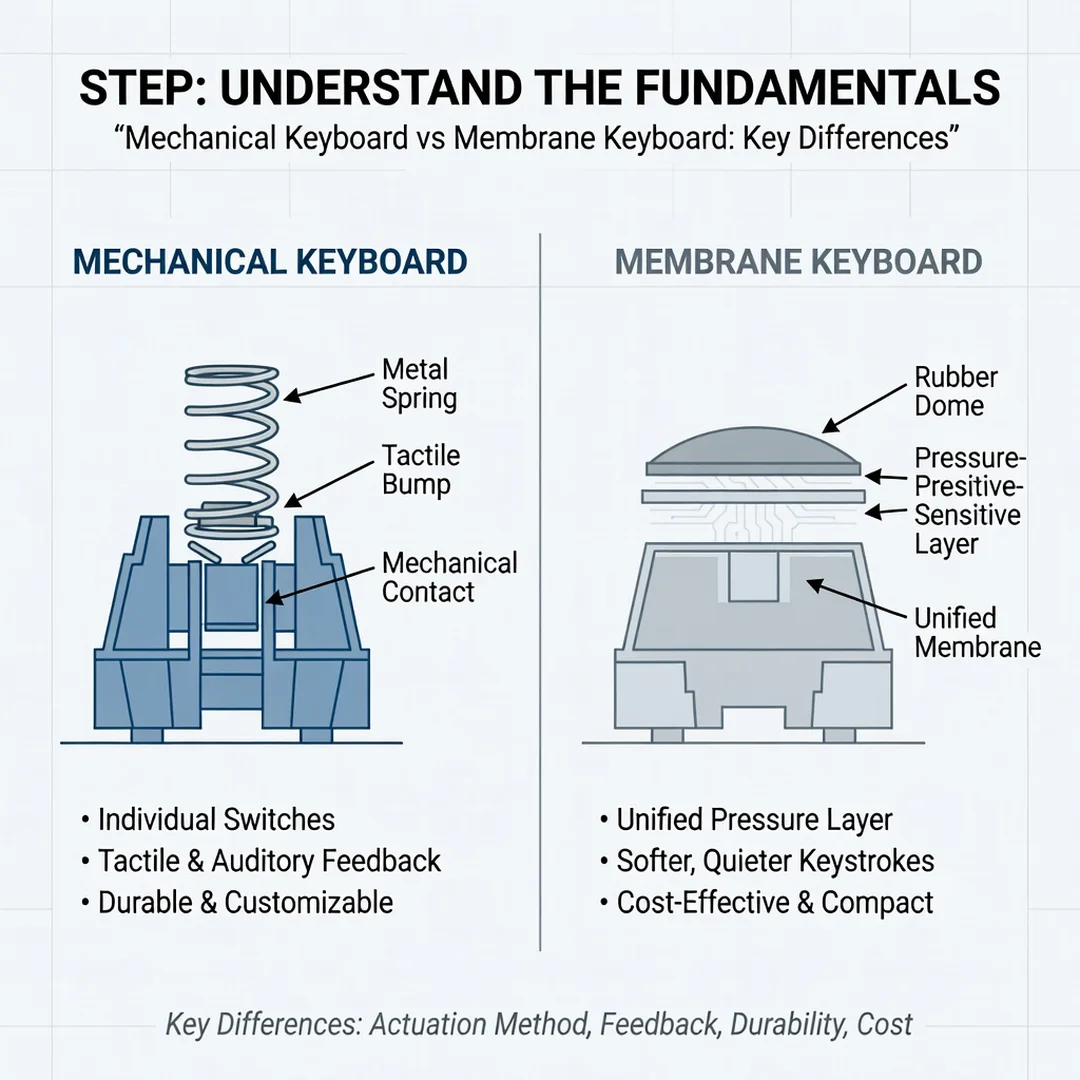
Make sure you can explain the difference between a mechanical and membrane keyboard in your own words. Know that mechanical uses individual switches, membrane uses a rubber dome sheet, and that this difference drives feel, durability, and performance. Without this foundation, you risk buying based on looks or brand alone.
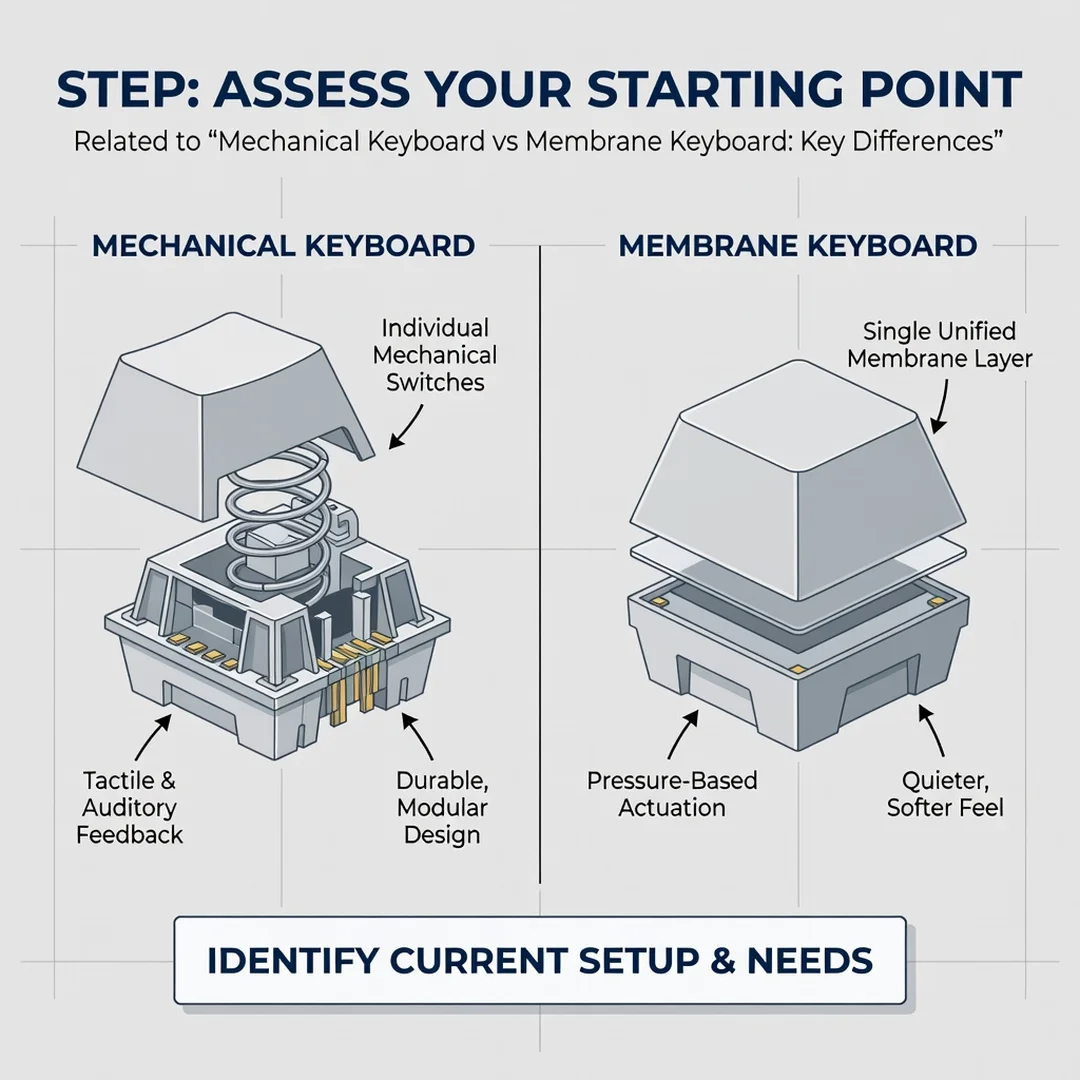
Step 2: Assess your starting point
Identify what you currently use and what bothers you about it. Is your current keyboard too mushy? Too loud? Do keys stop registering after a year? Do you miss inputs during games? Write down your specific pain points. This list will guide your decision far better than generic reviews.
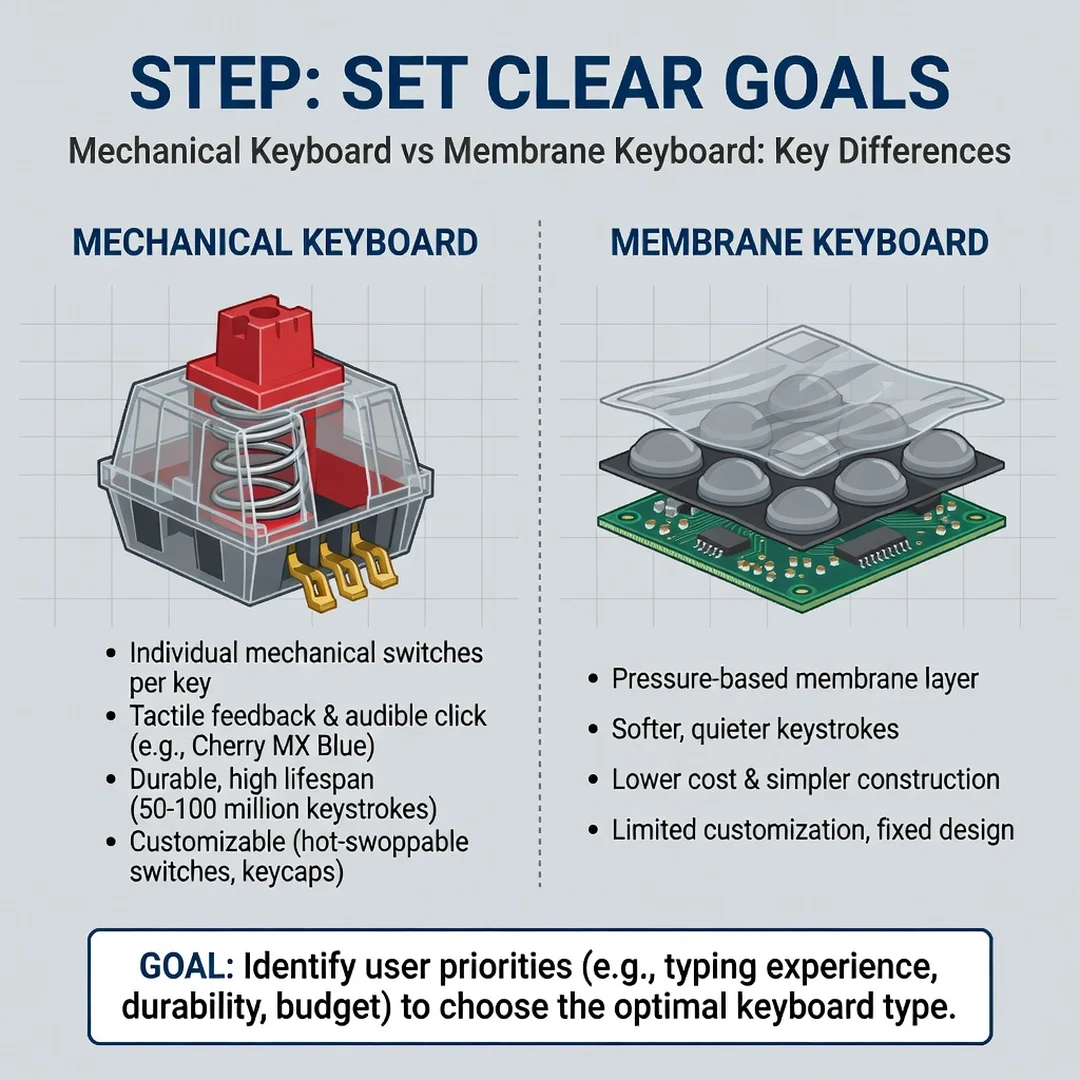
Step 3: Set clear goals
Decide what you want from your next keyboard. Goals might include faster typing, better gaming response, quieter operation, longer lifespan, or more customization. Rank them by importance. If durability and feel top the list, mechanical is likely your answer. If low cost and silence matter most, membrane may serve you better.
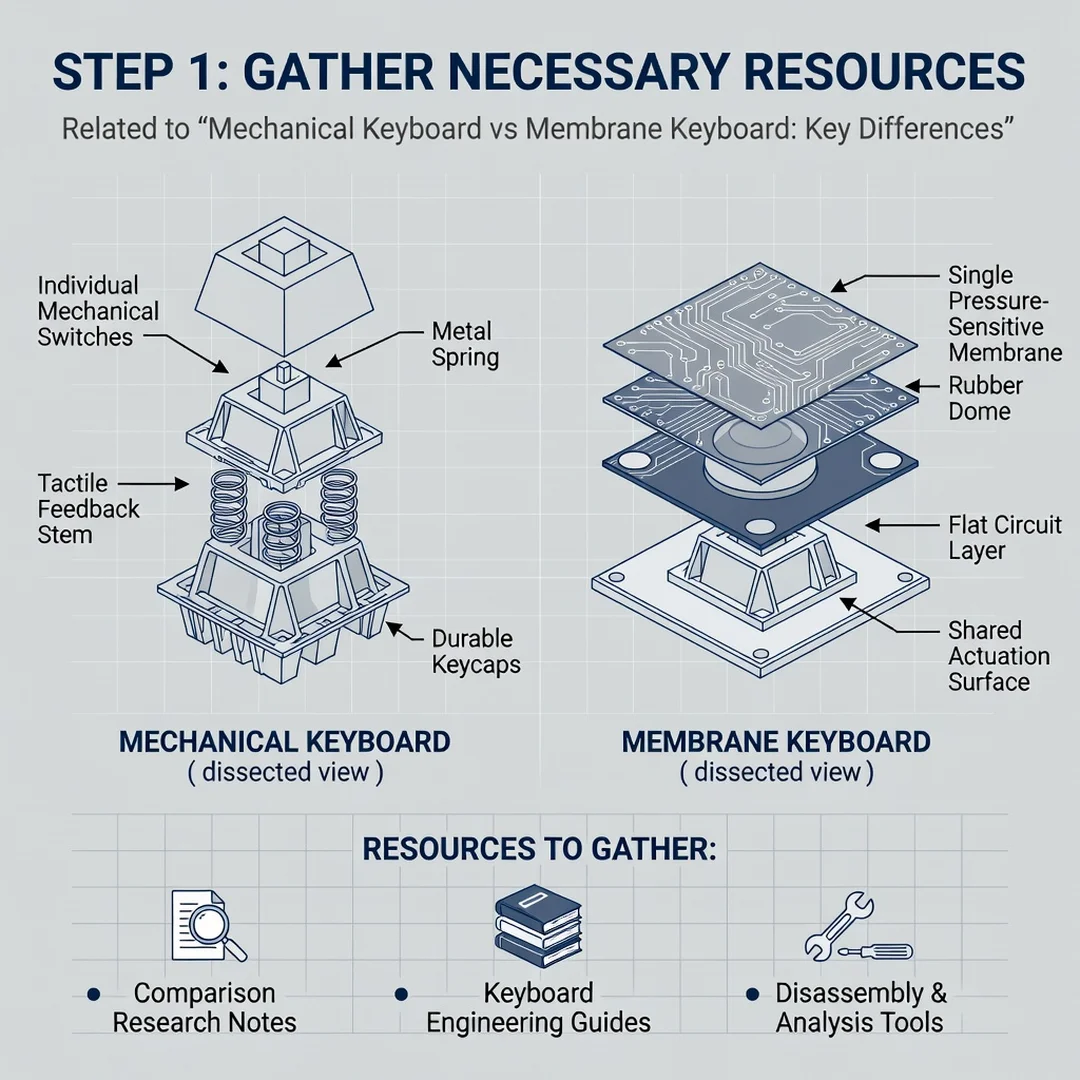
Step 4: Gather necessary resources
Collect the information you need. Read comparisons, watch typing sound tests, and if possible, try keyboards in a store. Set a realistic budget. Check return policies so you can test at home. Knowing your options prevents regret later.
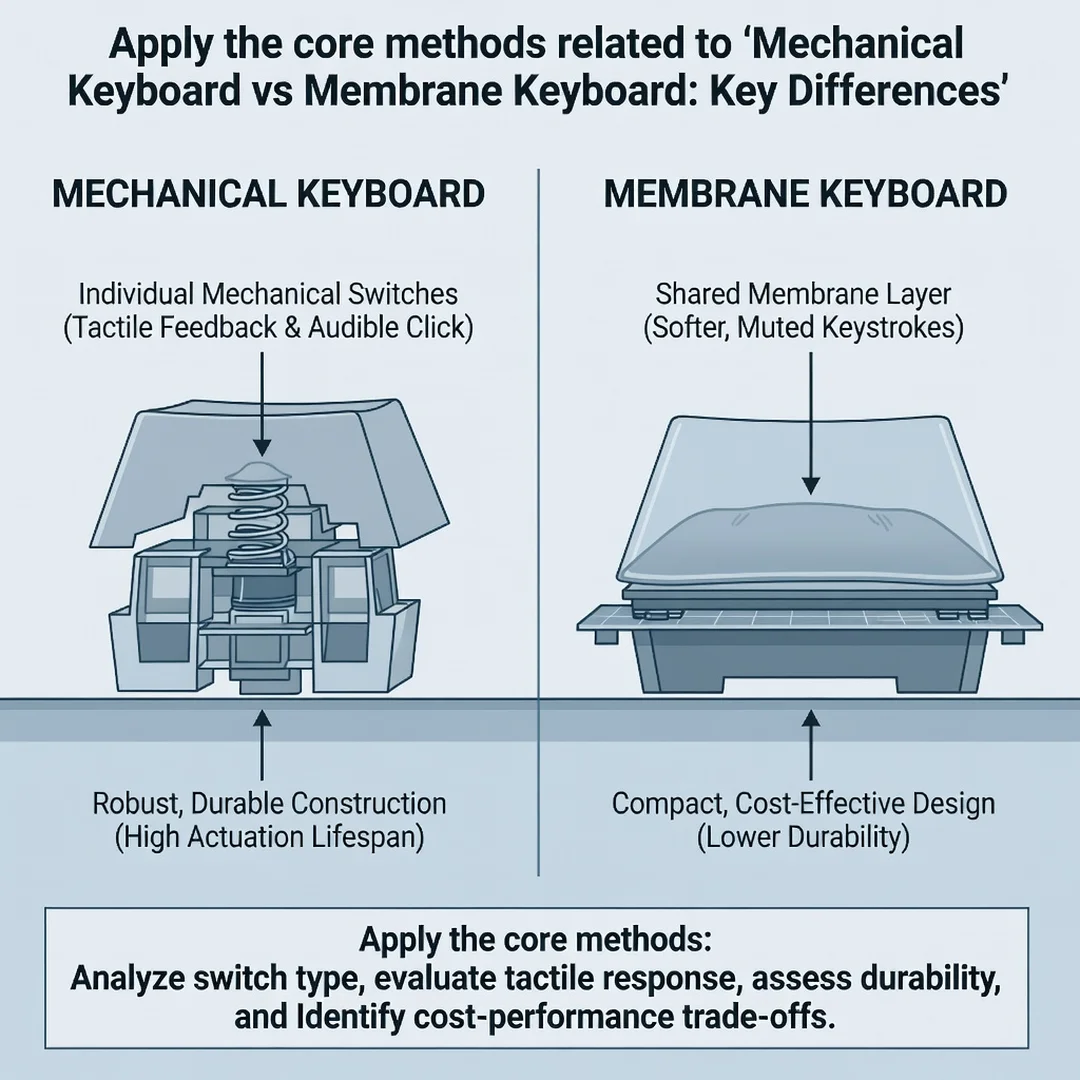
Step 5: Apply the core methods
Narrow your choices to two or three models that match your goals and budget. Compare them on switch type, layout, build quality, and warranty. If you choose mechanical, pick a switch category: linear for smooth and quiet, tactile for a bump without noise, clicky for audible feedback. If you choose membrane, look for reputable brands with good key rollover ratings.
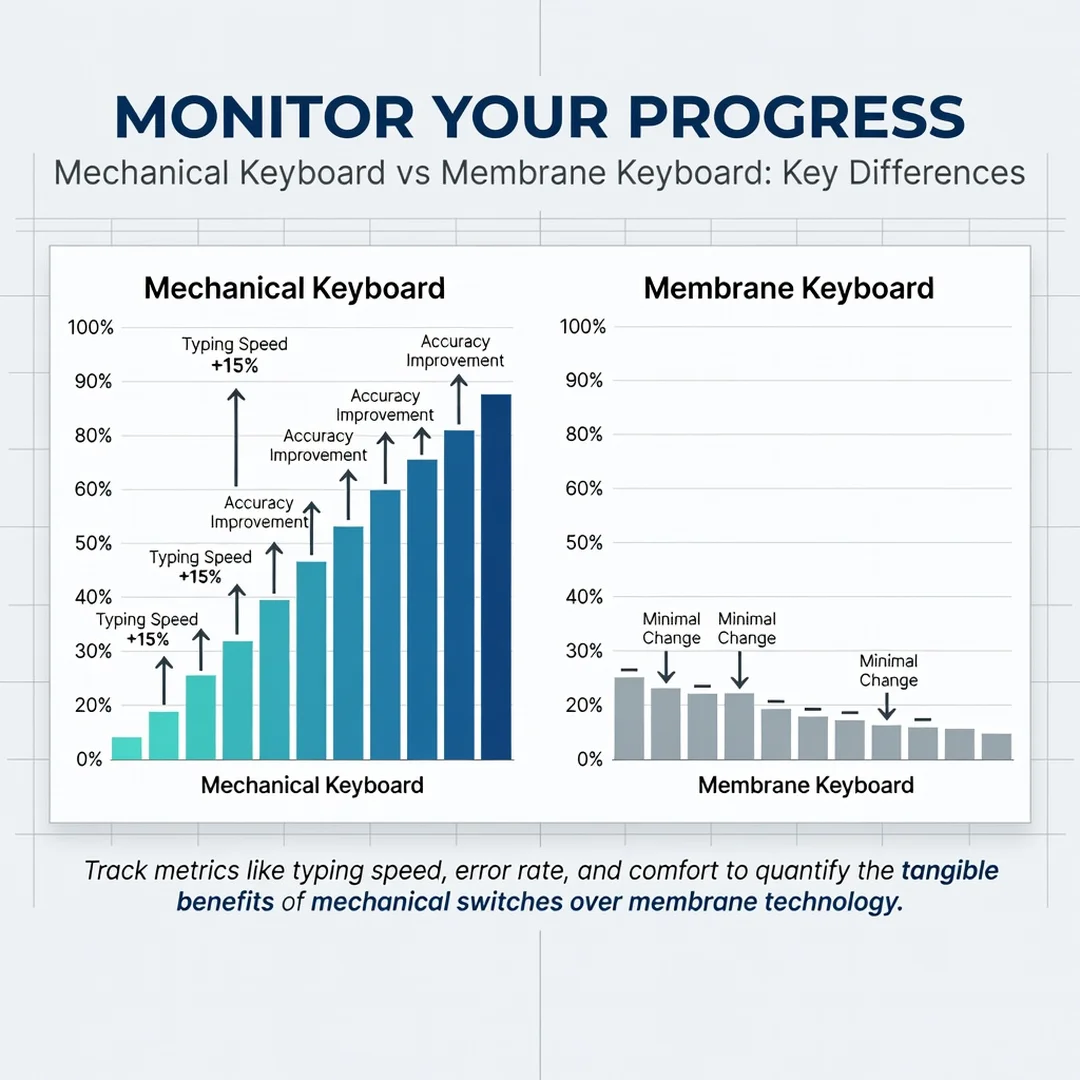
Step 6: Monitor your progress
After you start using your new keyboard, pay attention to how your hands feel, how often you make errors, and whether noise or comfort issues arise. Give yourself a week or two to adjust, especially if you switched types. If something does not work, use return windows or consider swapping switches on a hot-swappable board. Adjust and refine.
FAQ
What should I know about Mechanical Keyboard vs Membrane Keyboard: Key Differences?
The most important thing to know is that mechanical keyboards use individual switches under each key, while membrane keyboards use a single rubber dome sheet. This creates differences in typing feel, durability, gaming performance, noise, and cost. Mechanical keyboards offer better feedback, longer lifespan, and more customization. Membrane keyboards are quieter, thinner, and cheaper. Neither is universally better; the right choice depends on your priorities and how you use your keyboard.
Who is this guide for?
This guide is for anyone trying to decide between a mechanical and a membrane keyboard. That includes office workers, students, writers, gamers, and casual users who want a reliable keyboard without overpaying. It is also useful for people who already own one type and are curious about whether switching would improve their experience. No technical background is required.
Are mechanical keyboards always better?
No. Mechanical keyboards are better for users who value durability, tactile feedback, gaming performance, and customization. Membrane keyboards are better for users who prioritize low cost, quiet operation, and a slim profile. “Better” depends entirely on your needs.
How long do membrane keyboards last?
A typical membrane keyboard lasts one to three years with regular use before the rubber domes begin to degrade. Heavier use shortens that lifespan. Mechanical keyboards often last five to ten years or more, and individual switches can be replaced on many models.
Can I use a mechanical keyboard in a shared office?
You now have a solid foundation for Mechanical Keyboard vs Membrane Keyboard: Key Differences. Apply the best practices above and revisit this guide as your needs evolve.